|||

Y9 – AU1.4 – Conditional Sequences and Relational Operators

Accessibility Settings

⏱️ Do It Now

Create a OneNote Page
Copy both the title and the DIN task – then complete the DIN task:

Y9 – AU1.4 – Conditional Sequences and Relational Operators

📝 Do It Now
Answer each of the following:
(1) Explain the difference between integer and float data

(2) Explain why we cast data from a user input

(3) Write the code for casting the value of a variable to integer data 

🛝 Lesson Slideshow


🎓 Lesson Activities

  • Activity 1
  • Activity 2 – Simple Conditional Sequence
  • Activity 2 Extension
  • Activity 3 – Branched Conditional Sequence
  • Plenary

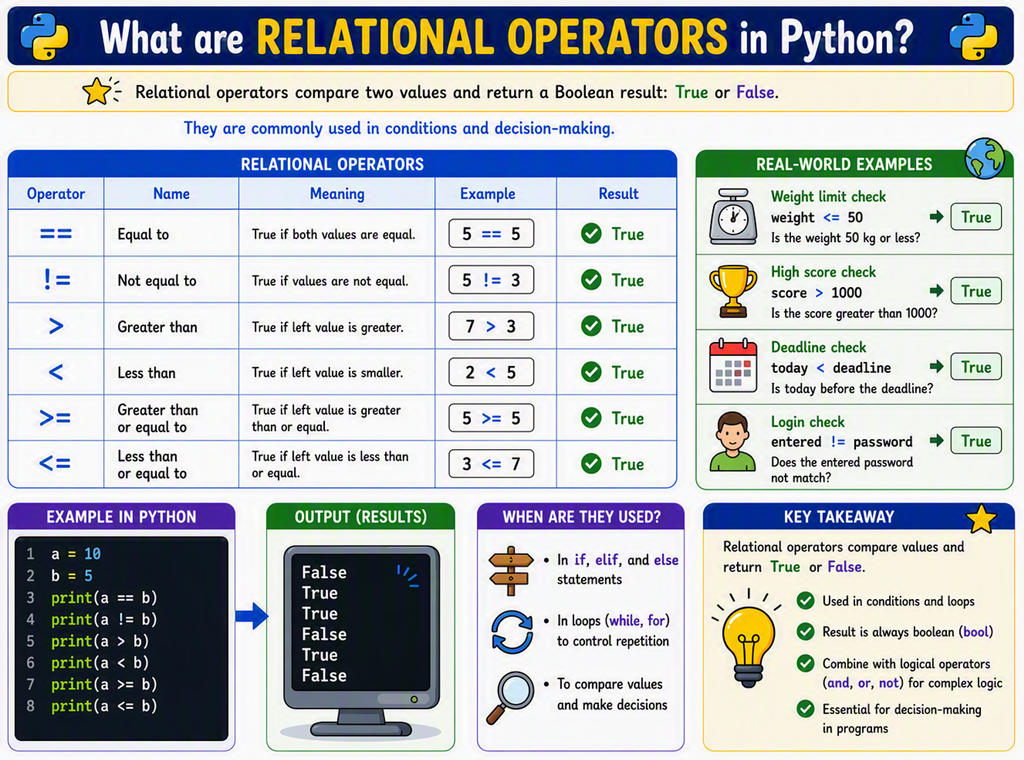
⌨️ Activity 1 – Test Your Knowledge of Relational Operators

Click this link to complete the quiz: Relational Operators Quiz

Once you have completed the quiz, copy your result into OneNote

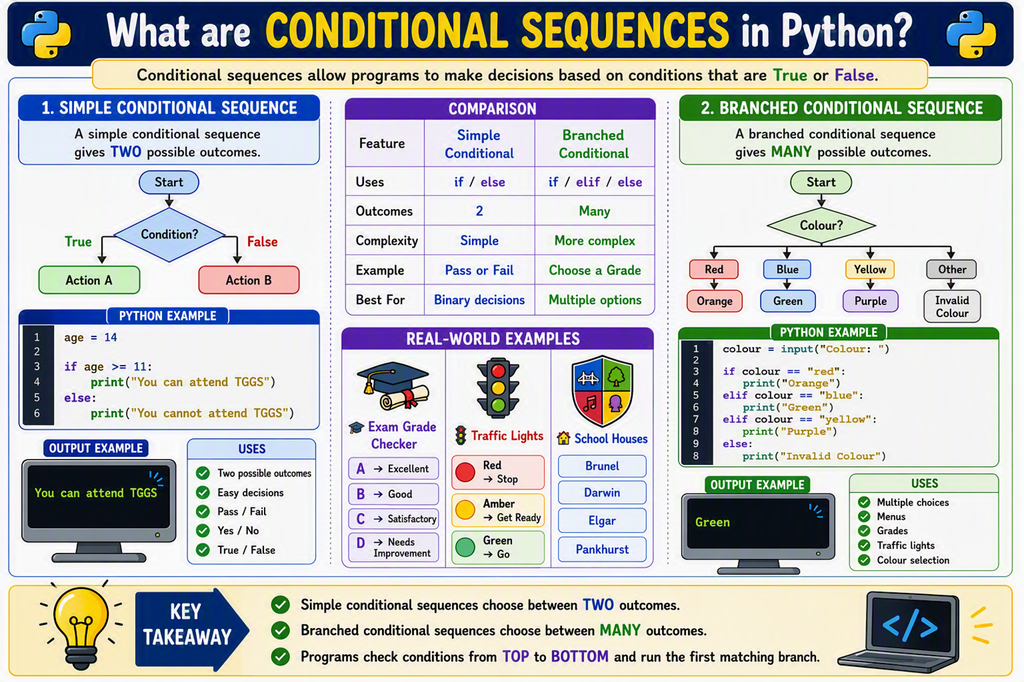
⌨️ Activity 2 – Conditional Sequence

Copy the code below into AU1.4 RO and Conditionals

(1) Add the correct relational operator to the code for Task A

(2) Completely write all of the required code for the other tasks

(3) Screenshot the complete activity and paste it into OneNote

#------------------------ Global Variables -----------------------------

num1 = 0 # Initialising num1 for use later

num2 = 0 # Initialising num2 for use later

#------------------------ Main Program ---------------------------------

# Task A - cast the inputs properly and add a relational operator that 
# means the output is correct

num1 = input("Enter number 1: ")
num2 = input("Enter number 2: ")

if num1 ??? num2:
    print("Number 1 is greater")
else:
    print("Number 1 is not greater")


# Task B - Create a section of code where num1 and num2 are both input again 
# Then it uses a conditional sequence that tests to see if num1 and num2 are 
# equal to one another


# Task C - Create a section of code where num1 and num2 are both input again 
# Then it uses a conditional sequence that tests to see if num1 is smaller than 
# or equal to num2


⌨️ Activity 2 – Extension Task

Create a new Python file called Activity 2 – Extension

Copy this code into the file and complete as much of it as you can before the end of the task

Screenshot your complete code into OneNote

# =====================================================
# BOOLEAN OPERATORS EXTENSION TASK
# =====================================================
#
# Boolean operators allow us to combine two tests.
#
# and  -> BOTH tests must be True
# or   -> AT LEAST ONE test must be True
#
# =====================================================

print("BOOLEAN OPERATORS EXAMPLE")
print()

age = input("Enter your age: ")
# Cast the input to the correct data type

if age >= 11 and age <= 18:
    print("You can attend TGGS")
else:
    print("You cannot attend TGGS")

print()
print("--------------------------------------------------")
print()


# =====================================================
# TASK 1
# Complete the condition so that a person only
# receives a child ticket if they are aged between
# 5 and 15 inclusive.
# =====================================================

age = input("Enter your age: ")
# Cast the input to the correct data type

if ???:
    print("Child Ticket")
else:
    print("Standard Ticket")


# =====================================================
# TASK 2
# Complete the condition so that a student receives
# a reward if they have either perfect attendance
# OR a test score of 90 or more.
# =====================================================

attendance = input("Perfect attendance? (yes/no): ")
score = input("Test score: ")
# Cast the input to the correct data type

if ???:
    print("Reward earned!")
else:
    print("No reward this time.")


⌨️ Activity 2 – Branched Conditional Sequences

(1) Create a new Python file called AU1.4 Activity 3

(2) Copy the code below into AU1.4 Activity 3

(3) Use the example to help you complete the tasks

(4) Screenshot your complete code into OneNote

# =====================================================
# BRANCHED CONDITIONAL SEQUENCES
# =====================================================
#
# A branched conditional sequence allows a program
# to choose from several possible options.
#
# We use:
#
# if
# elif
# else
#
# =====================================================

print("PRIMARY COLOUR MIXER")
print()

colour = input("Enter a primary colour (red, blue, yellow): ")

if colour == "red":
    print("Correct")
    
elif colour == "blue":
    print("Correct")
    
elif colour == "yellow":
    print("Correct")
    
else:
    print("That is not a primary colour.")

print()
print("---------------------------------------------")
print()


# =====================================================
# TASK 1
#
# Write a program that asks the user to enter
# a school house:
#
# Beal
# Cross
# Jackson
# Omanyo
# Robertson
# Wilkinson
#
# Use a branched conditional sequence to display
# a different message for each house.
#
# Include an else statement for invalid input.
# =====================================================


print()
print("---------------------------------------------")
print()

# =====================================================
# TASK 2
#
# Write a program that asks the user to enter
# a mark out of 50 for their test
#
# Greater than or equal to 46 = 9
# Greater than or equal to 40 = 8
# Greater than or equal to 36 = 7
# Greater than or equal to 30 = 6
# Greater than or equal to 26 = 5
# Greater than or equal to 20 = 4
# Any thing else = Fail
#
# =====================================================


print()
print("---------------------------------------------")
print()

🎯 Plenary Activity

Explain the difference between simple conditional sequences and branched conditional sequences

As part of this explanation, identify situations when each would be used