⏱️ Do It Now
Create a OneNote Page
Copy both the title and the DIN task into the page – then complete the DIN task:
Y8 – AU1.6 – Text and Ascii
| 📝 Do It Now |
| (1) Complete the quiz at this link: Start Playing – Wayground (Formerly Quizizz) (2) Screenshot the result screen and paste it into the OneNote Page. (3) If you weren’t entirely happy with your score, reattempt the quiz again and paste your new score beneath that of the first attempt. |
🎯 Lesson Objectives
| 1) Describe what ASCII is and why it was developed 2) Be able to outline the properties of the ASCII encoding system 3) Be able to use ASCII to decode and encode message between plain-text and binary |
📖 The Ascii Character Set

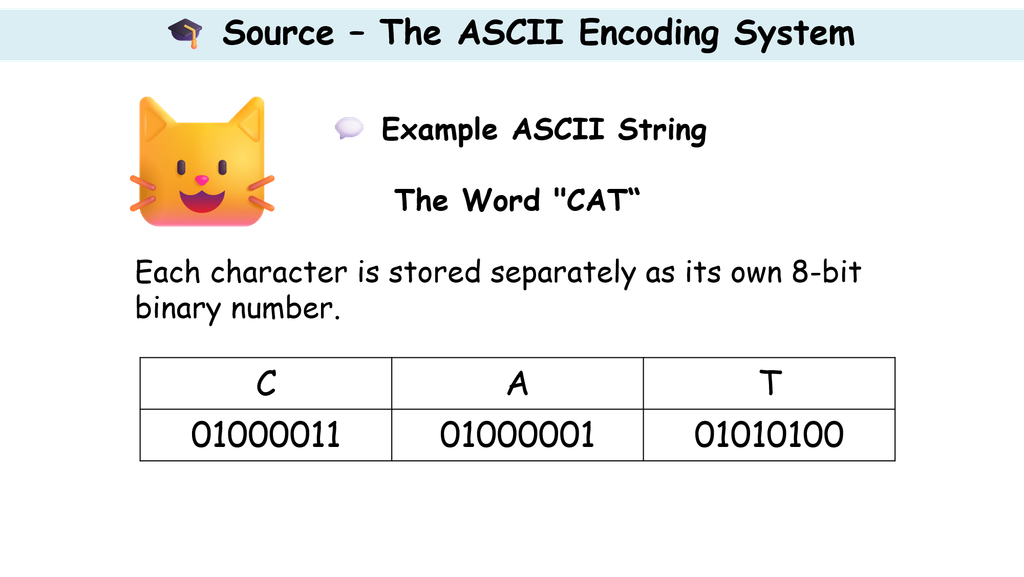
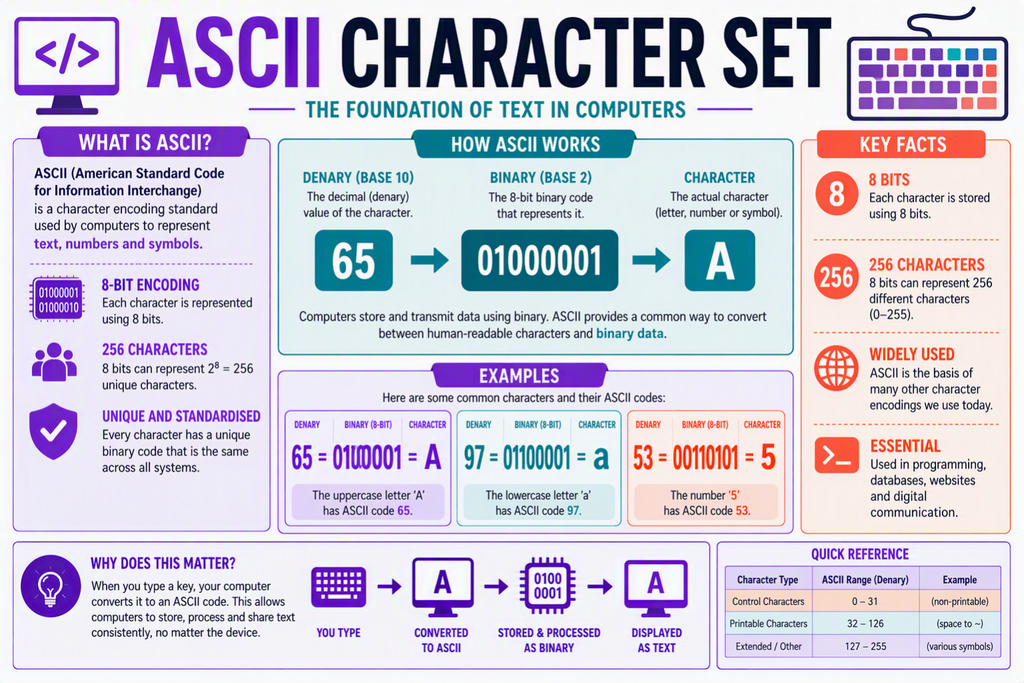
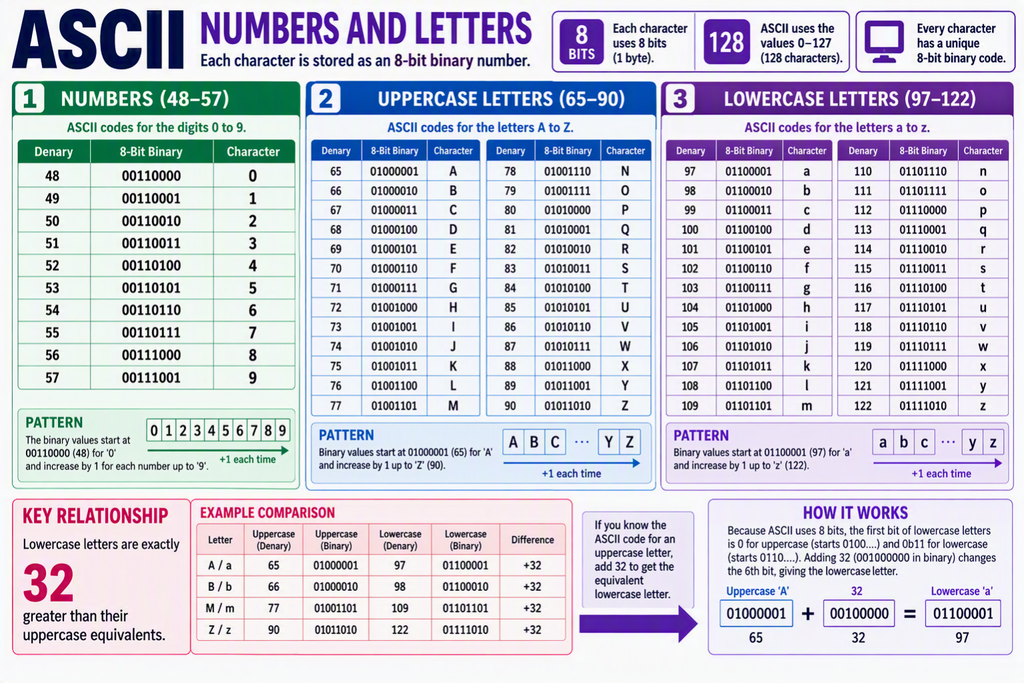
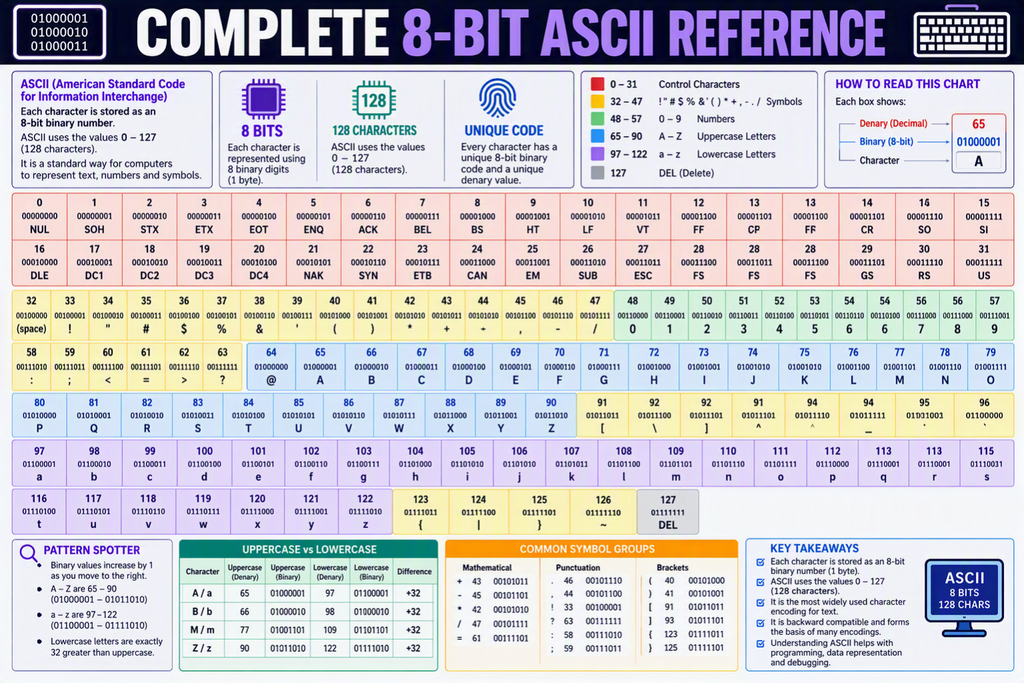
⌨️ Activity 1 – Exploring Ascii
| Answer the following questions: (1) How many bits are used to store one ASCII character? (2) How many different characters can ASCII represent? (3) Why do computers use binary numbers to store text? (4) What is the range of numbers used for capital letters? |
⌨️ Activity 2 – Decoding A Message
Click this Link: Activity 2
Decode the message and screenshot the result into OneNote
⌨️ Activity 3 – Decoding Another Message
Click this Link: Activity 3
Decode the message and screenshot the result into OneNote
⌨️ Activity 4 – Write Your Own Message
Now you have translated a message with ASCII it is time to write your own message.
Click on This Link to write your own message
Remember to screenshot your final output and paste it into OneNote
