⏱️ Do It Now
Create a OneNote Page
Copy both the title and the DIN task into the page – then complete the DIN task:
Y7 – AU1.5 – Email Etiquette
| 📝 Do It Now |
| Answer each of the following: (1) Explain why people use the reply feature of email software (2) Explain why people use the forward feature of email software (3) Why might somebody might send an attachment on an email to one of their co-workers? |
🎯 Objectives
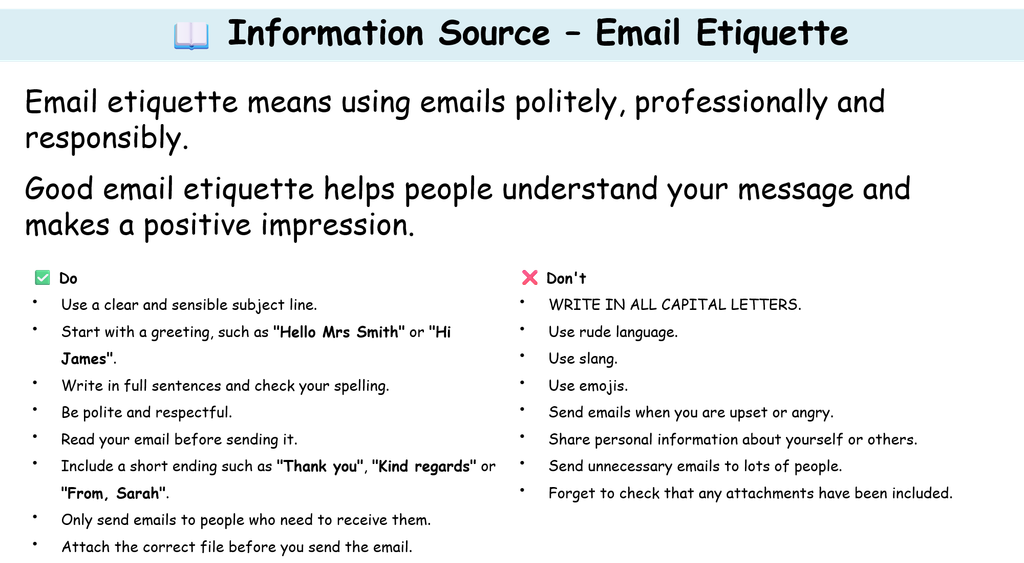
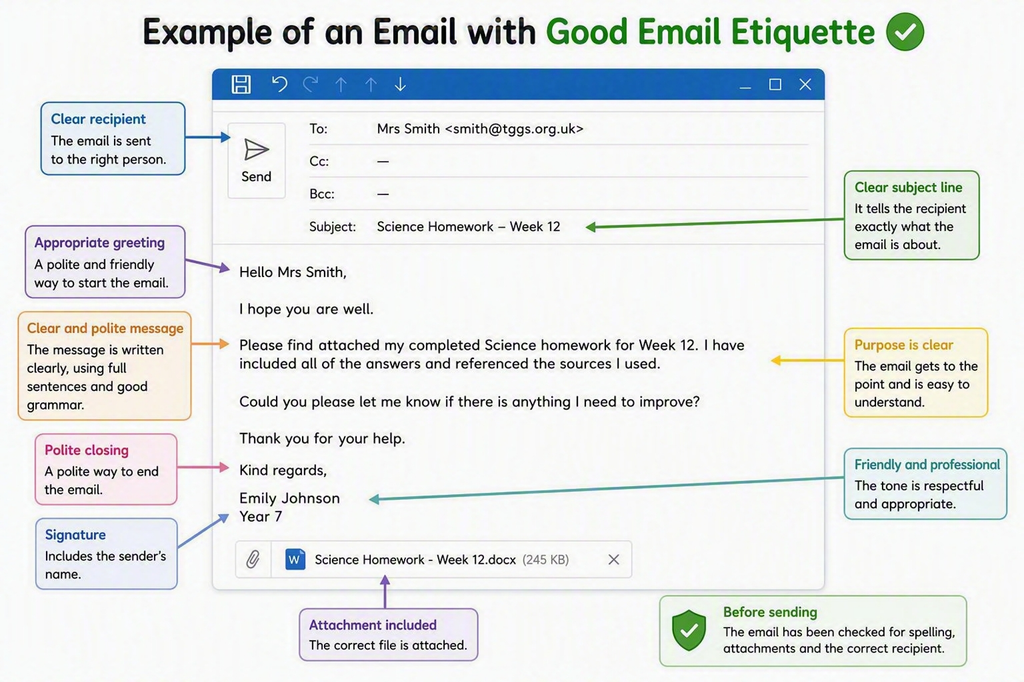
| 1) We are learning what is meant by email etiquette and how it improves the quality of our communication. 2) We will be able to describe the features of an appropriately structured email message 3) We will be able to identify what should not be part of a professional email message. |
📖 Email Etiquette
⌨️ Activity 1 – Compose An Appropriate Email
| Imagine that you have completed a piece of homework and need to email it to your teacher. (1) Write a formal email for this purpose, that demonstrates good email etiquette: (Look at the example on the slide before this) (2) Screenshot the email and paste it into OneNote (3) Label all of the examples of good email etiquette (4) Explain what email etiquette is and why it is important in professional / formal communication |
⌨️ Activity 2 – Peer Review
| Complete these steps: 1)Forward your original message to the person sitting next to you (your teacher will allocate pairs or threes for odd numbered rows) 2)When you receive your partner’s message reply to it with a peer review response: 1)Describe two positive characteristics of their email – and why they are each positive 2)Describe one aspect of the email that could be improved – and how the improvement will benefit the sender of the email. Following this: Screenshot the peer response into OneNote |
⌨️ Extension – Poor Email Etiquette
| 1)Create an email that demonstrates poor email etiquette 2)The context can be the same as the email you wrote in Activity 1 3)Ensure it demonstrates really-bad email etiquette 4)Screenshot the email paste the screenshot into OneNote and label all the things that make it a bad example of email etiquette |
🎯 Plenary (End of Lesson Activity)
| Complete the end of lesson quiz: Email Etiquette Paste a screenshot of the result into OneNote Give it the title: Plenary Quiz |
