- DIN
- Objectives
- Activity 1
- Properties Slides
- Activity 2
- Plenary
⏱️ Do It Now
Copy this title into a new OneNote document:
Y10 AU – P8 – Image Data
Copy this table into the OneNote document and complete it:
| ⏱️ Do It Now: |
| Answer the following questions (1) State how many bits are used by a standard ASCII character (2) Identify how many possible characters are available with standard ASCII (3) Provide a detailed comparison of Standard ASCII and Extended ASCII (4) ASCII and Extended ASCII are both examples of a character set. Identify another type of character set and explain why it was developed |
🎯 Learning Objectives
(1) We will learn how images are represented by computers with 1s and 0s
(2) We will understand the relationship between the colour of a pixel and the binary number used to represent it
(3) We will be able to explain the terms: resolution and colour depth
⌨️ Activity 1 – Pixels
- Tab 1
- Tab 2
- Tab 3
- Tab 4
What is a Pixel?
A pixel (picture element) is the smallest part of a digital image.
Screens are made of millions of pixels working together.
Each pixel can display its own colour.
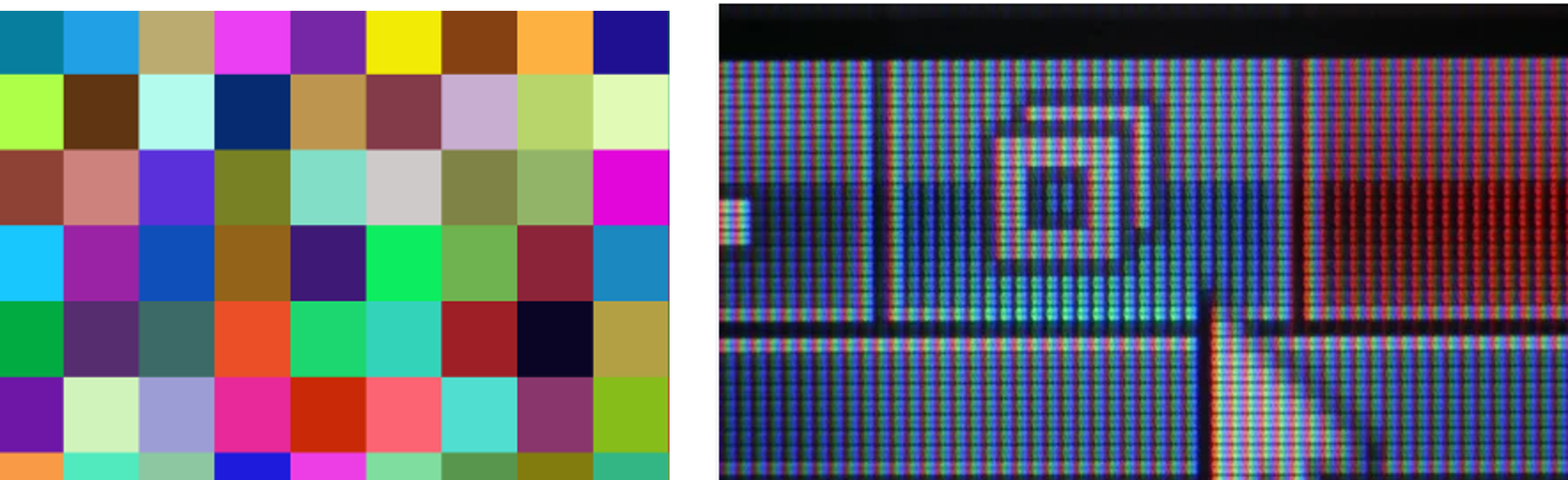
Inside a Pixel
Each pixel is made of 3 tiny light sources called diodes:
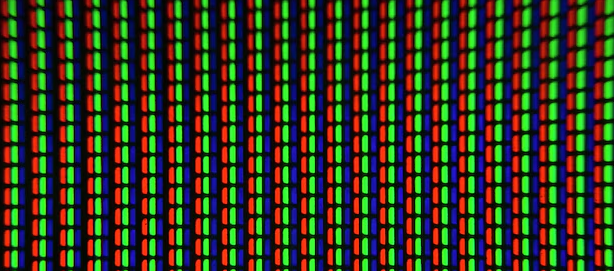
Together these are able to create RGB images.
Intensity
Each RGB diode has 256 levels of brightness.

0 = off 📴 — 255 = fully bright 💡
By combining the diodes at different intensities we are able to create different colours
A bit like an artist mixing different amounts of coloured paint!
Colour Mixing
Colours are created by mixing RGB values:
- (255,0,0) = Red
- (0,255,0) = Green
- (0,0,255) = Blue
- (255,255,255) = White
Binary
Each RGB diode uses 8 bits (a byte).
0 → 00000000
255 → 11111111
RGB = 3 × 8 bits = 24 bits per pixel
Hex Colours
Humans write colours as hexadecimal because it is easier to work with than big binary numbers
e.g.
Interactive Pixel
Now it is your turn; change the hex value to see how the overall pixel colour changes, and how the intensity of each diode changes
Edit the hex value:
Binary
Diode Intensities
Pixel
⌨️ Activity 2 – Questions about Image Properties
Task 1
1. Calculate the file size of the following images
| Image | Image Resolution | Number of Colours | Colour Depth in Bits | File Size in Bits | File Size in Bytes |
|---|---|---|---|---|---|
| Image 1 | 20 × 20 | 8 | |||
| Image 2 | 10 × 10 | 8 | |||
| Image 3 | 20 × 20 | 4 |
2. How does increasing the image resolution affect the file size?
3. Explain the relationship between image quality and file size.
4. Using the following bit pattern, shade in the pixel grid to create a black and white bitmap. Black = 1 and White = 0.
Bit Pattern:
00100 01110 11111 00100 01100
5. What is the bit pattern for the following icon image where Black = 1 and White = 0?
🎓 Plenary
Complete this quiz: Y10 Image Data Quiz
Screenshot your results and paste them into OneNote
